Search
Search saved content, titles, previews, and notes attached to starred items.
 DF-ClipRoll
View on the App Store
App Store
DF-ClipRoll
View on the App Store
App Store
Clipboard history for Mac
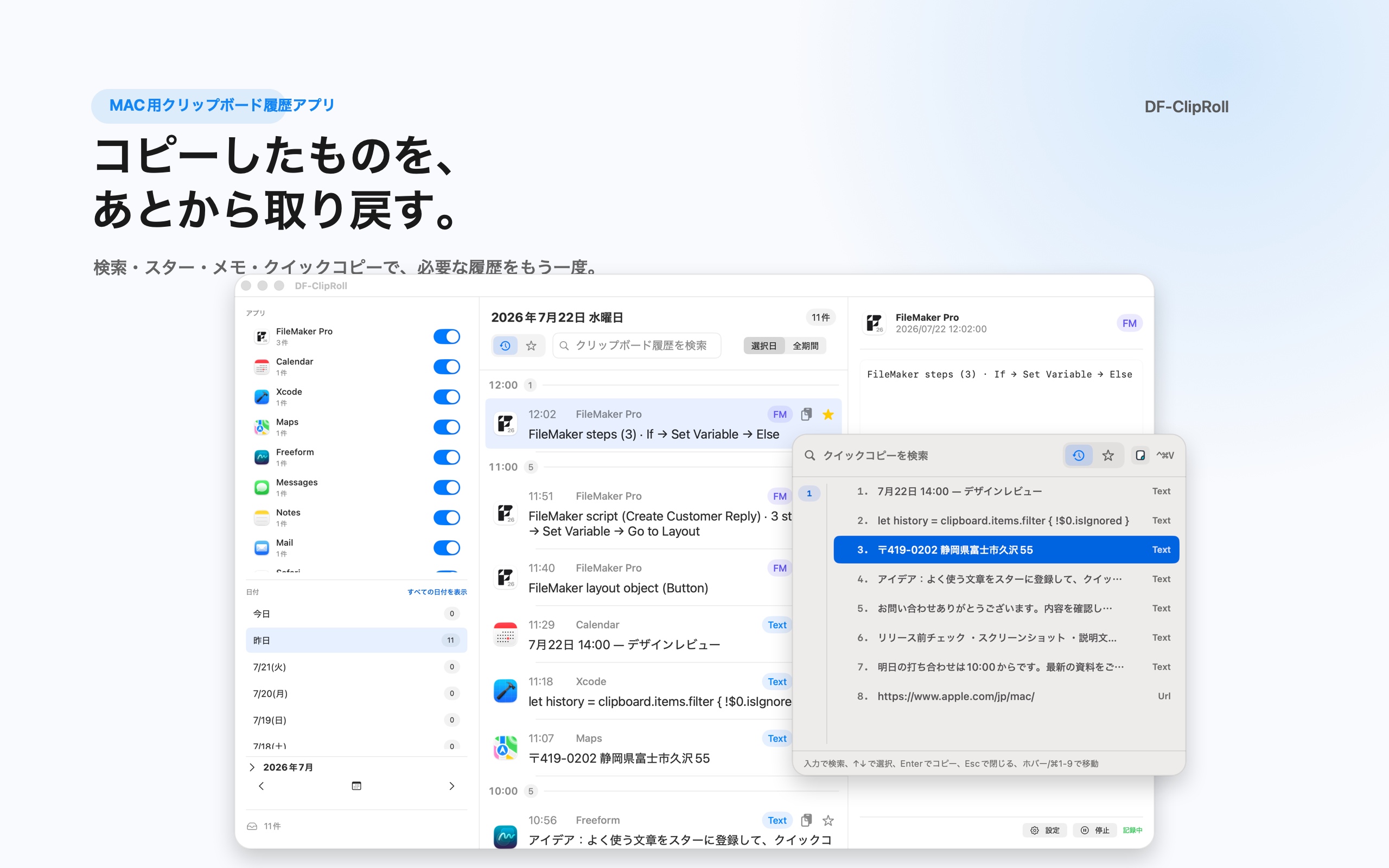
DF-ClipRoll records copied text, URLs, and more on your Mac.
Quick Copy puts any saved item a few keystrokes away.
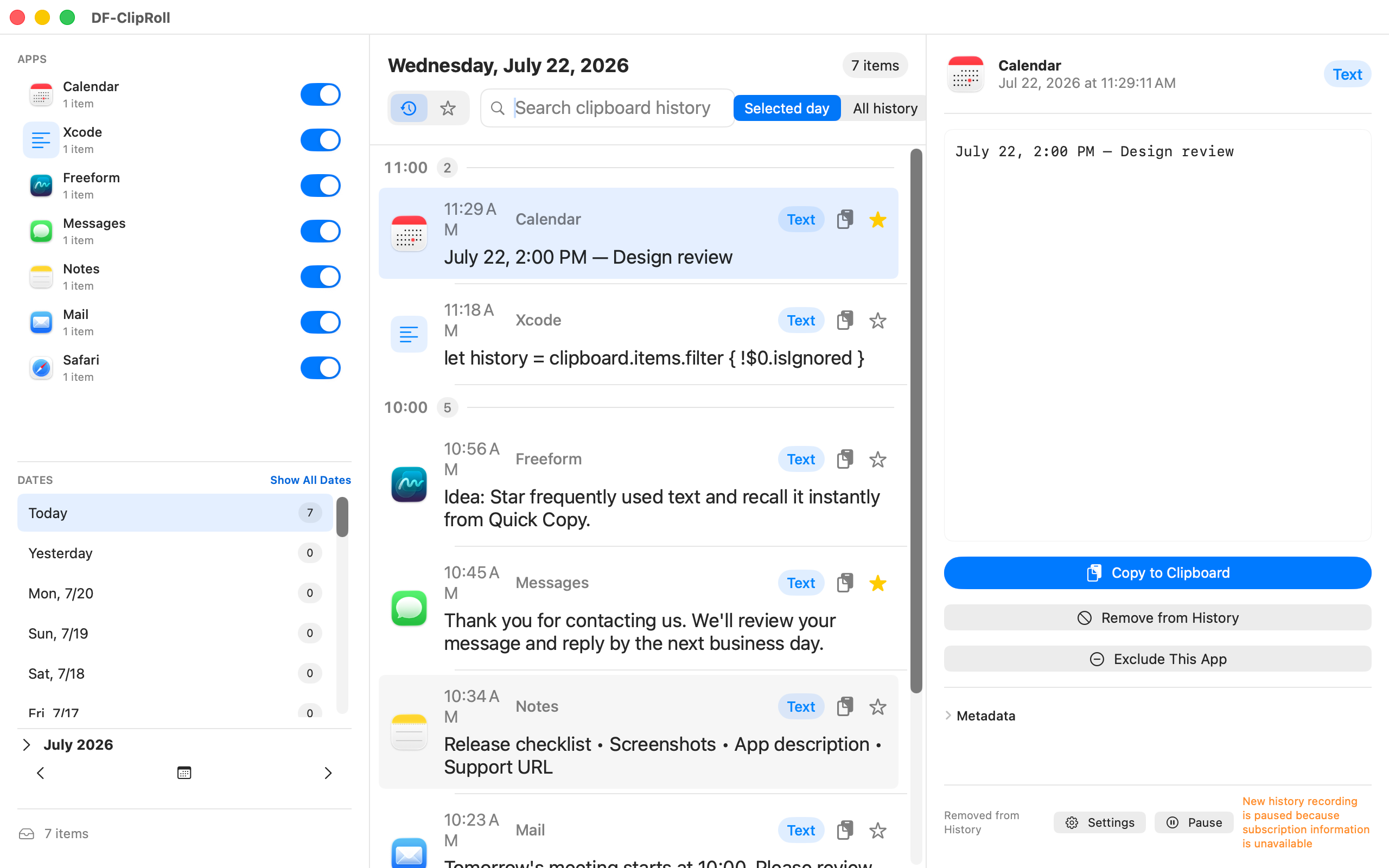
History & Search
Copied text and URLs are recorded automatically.
Filter by date, source app, time of day, or keyword. Return to URLs gathered during research, snippets from AI conversations, or unfinished writing whenever you need them.
Starred Items
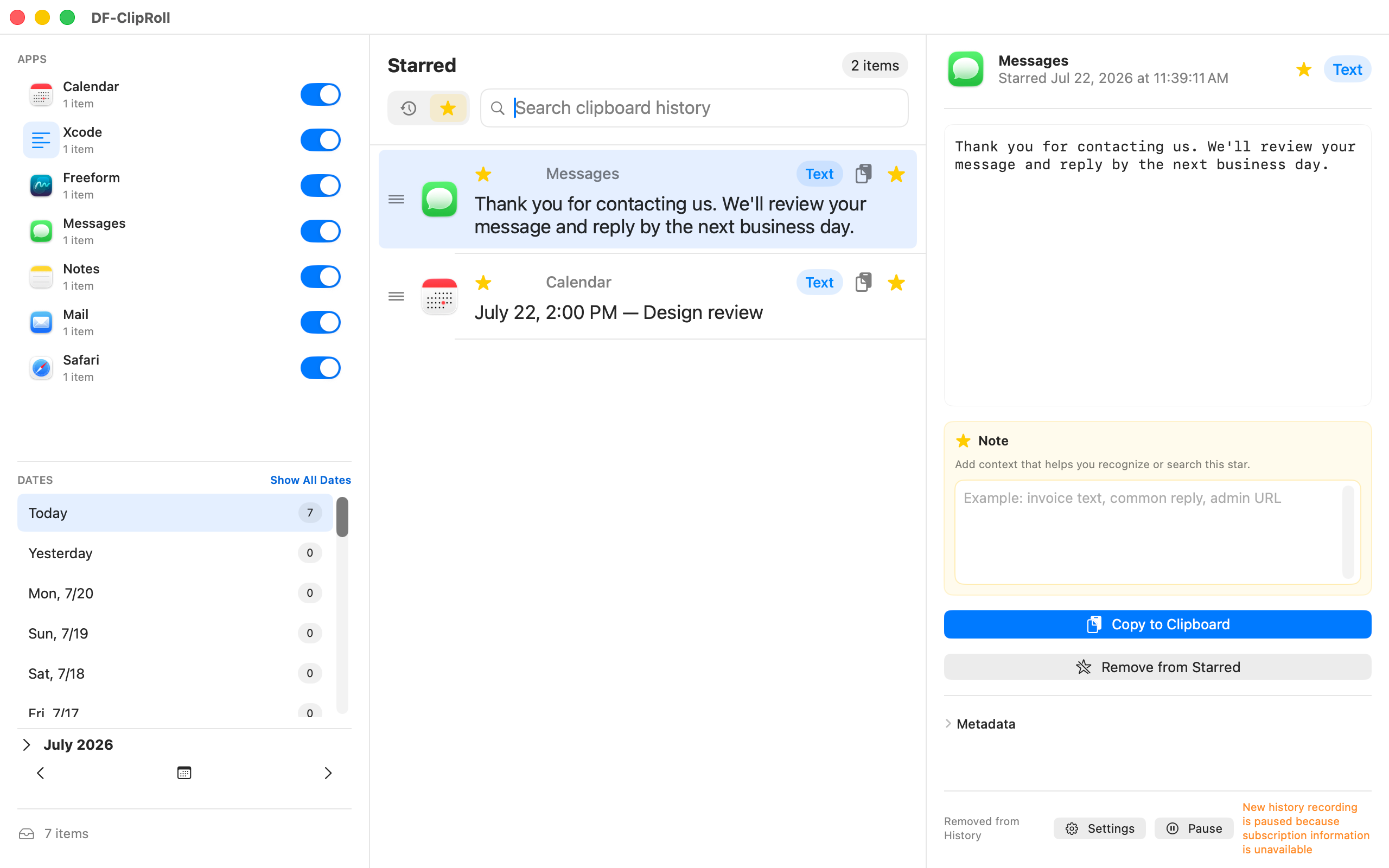
Move anything worth keeping from your history to Starred Items.
Starred items remain after regular history expires. Add a short note to remember how each item is used, then drag items into the order that works for you.
Quick Copy
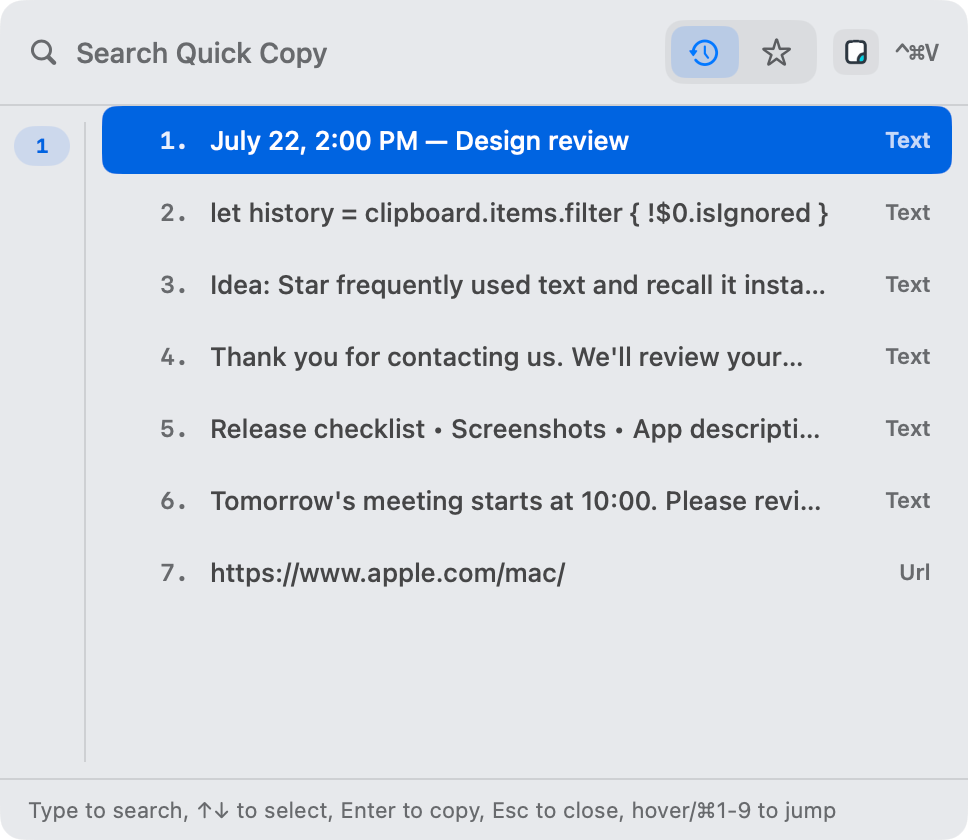
Open Quick Copy, search your saved history, then choose a result to return it to the standard clipboard.
Press ⌘V in the app you are using to paste it.
DF-ClipRoll never types or pastes automatically.
Search saved content, titles, previews, and notes attached to starred items.
See suggestions as you type, or turn suggestions off in Settings.
Search your history, starred items, or items copied from the app you are using.
Choose to show anywhere from 5 to 100 results at a time.
Type to search, use ↑↓ to select, Enter to copy, and Esc to close. You can also jump with ⌘1–9.
The selected item returns to the standard clipboard. Press ⌘V in the app you are using.
Saved Formats
Claris FileMaker Support
| Saved Content | After You Paste It Back |
|---|---|
| Layout Objects | Restored as objects that can be moved and edited on the layout. |
| Scripts | Restored as a complete script that can be edited in the Script Workspace. |
| Script Steps | Restored as one or more selected steps that can be edited inside a script. |
DF-ClipRoll stores supported Claris FileMaker clipboard XML and pastes it back when you need it. The XML stays on this Mac.
Privacy
Your clipboard history, starred items, notes, and settings stay on this Mac. They are never sent to our servers or an external service.
You can also fine-tune what DF-ClipRoll leaves out of your history.
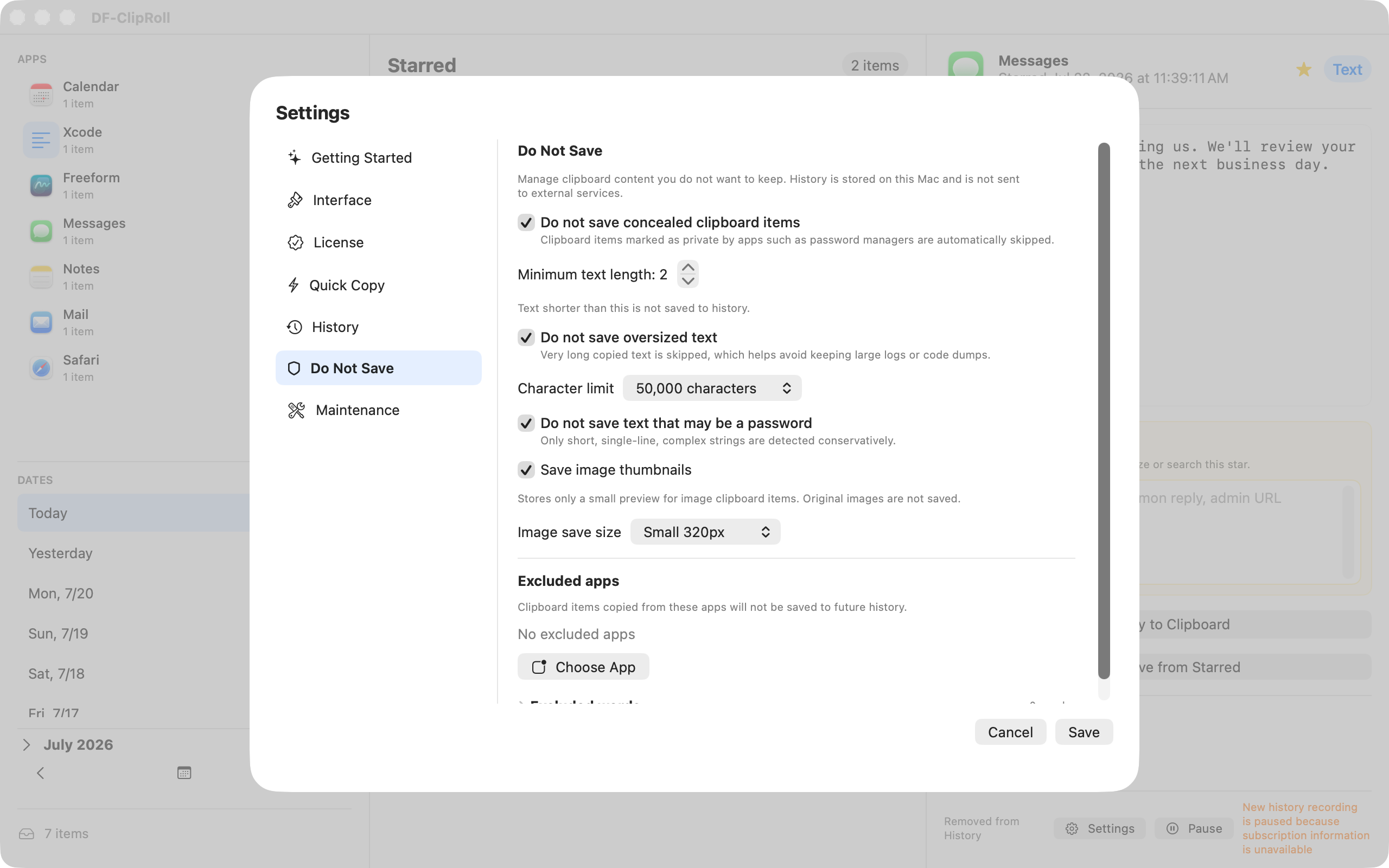
No advertising and no user tracking.
Product Tour
See the essential features in action with a short tour of the app.
YouTube does not load until you choose to play the video.
DF-ClipRoll Pro
Eligible users of Apple's introductory offer can try DF-ClipRoll free for three months from the subscription start date.
After the trial, the subscription renews automatically each year. The price, trial period, and eligibility shown on the App Store purchase screen take precedence.
After a subscription ends, you can still view, search, copy, and export saved history, and continue using starred items, notes, images, and Quick Copy. An active subscription is required to record new history.
FAQ
No. Your clipboard history, starred items, notes, and settings stay on this Mac. DF-ClipRoll contains no advertising and does not track users.
No. It returns the selected item to the standard clipboard. Press ⌘V in the app you are using to paste it.
You can save supported layout objects, complete scripts, and one or more selected script steps, then paste each item back into Claris FileMaker in its original form.
No. You can still view, search, copy, and export saved history, and use starred items, notes, images, and Quick Copy. Recording new history stops.
Images are stored as preview thumbnails. Files are stored as paths and available reference metadata. DF-ClipRoll is not designed to back up or restore the original image or file.
DF-ClipRoll for Mac
Requires macOS 14 or later